
1. Introduction
2. Set Up Lazada Integration
1. Introduction
Founded in 2012, Lazada Group is the leading eCommerce platform in Southeast Asia. Lazada connects the vast and diverse regions through its technology, logistics, and payment capabilities. Today, Lazada has the largest selection of brands and sellers, and by 2030, they aim to serve 300 million customers. In 2016, Lazada became the regional flagship of the Alibaba Group and is backed by Alibaba’s best-in-class technology infrastructure.
📌Note: Before starting, please make sure you have signed up for a Lazada Seller Center account. If you do not have a Seller Center account yet, please sign up first.
2. Set Up Lazada Integration
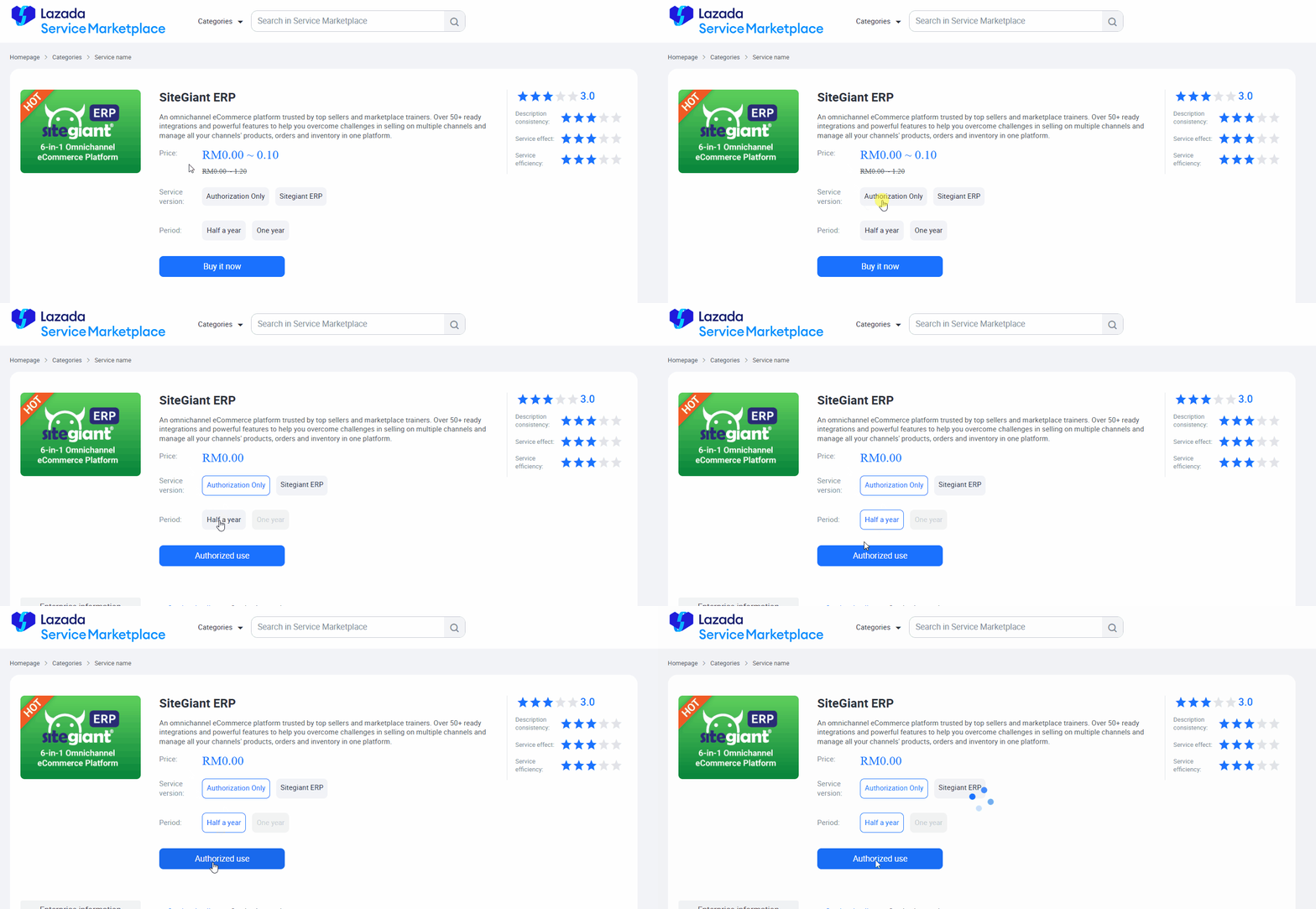
Step 1: Login to your Lazada Seller Center > click this link to go to the Lazada Service Marketplace page > choose Authorization Only > Half a year > click Authorized use.
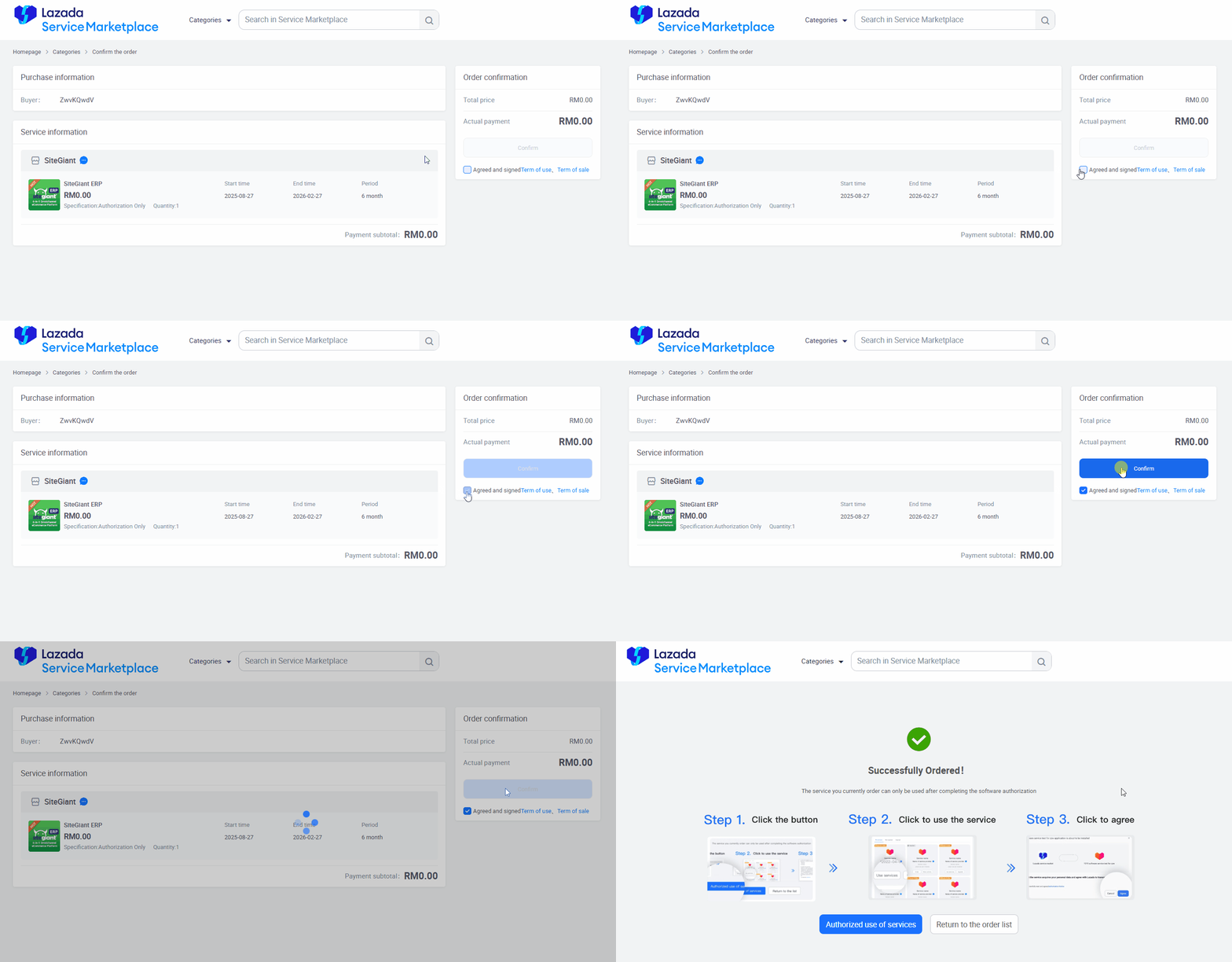
Step 2: Tick the Agreed and signed terms > Confirm.
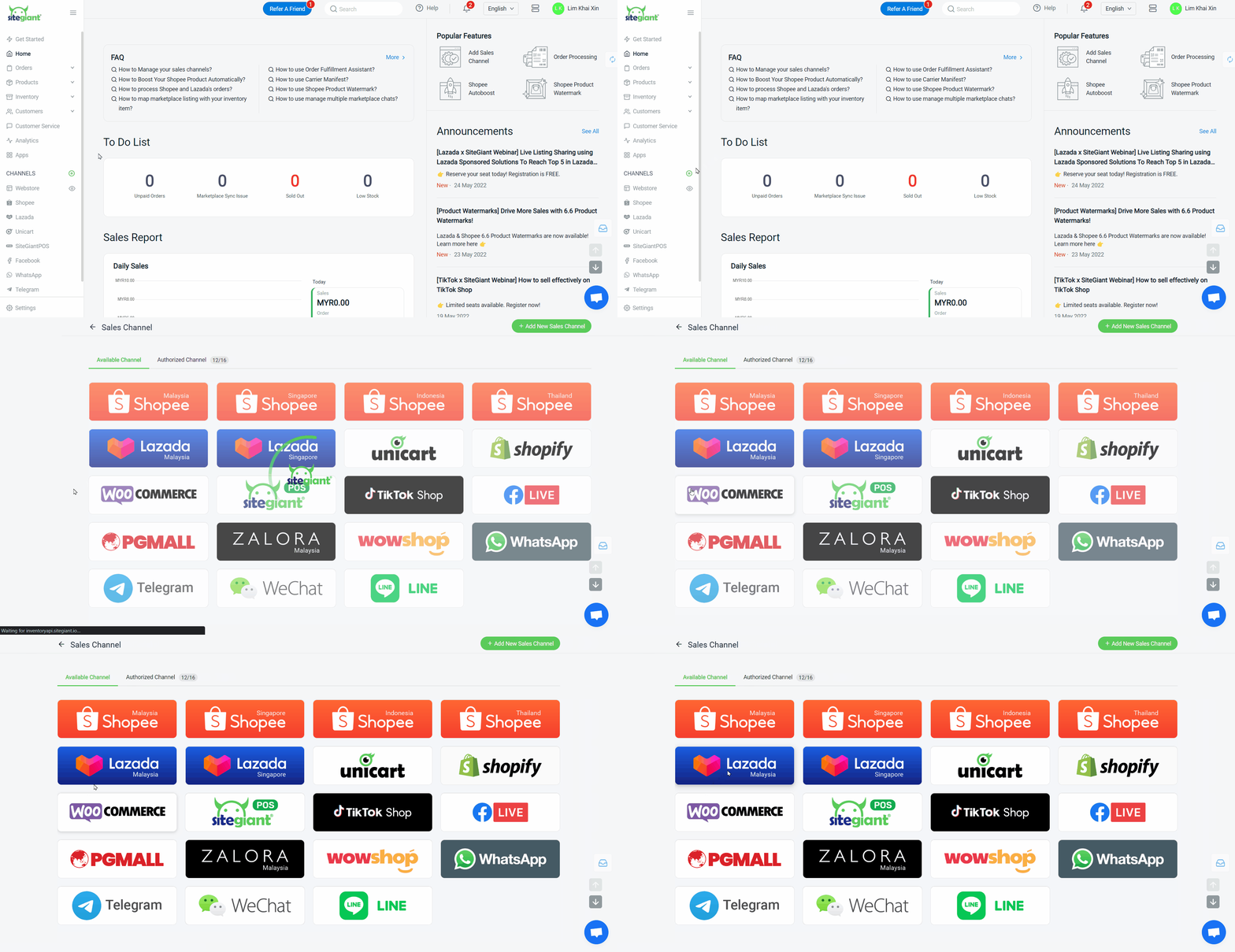
Step 3: Log in to your SiteGiant Seller Center > add [+] channels > choose the Lazada channel to integrate
Step 4: Enter Channel Name > click Connect, then you will be directed to the Lazada sign-in and authorization page.
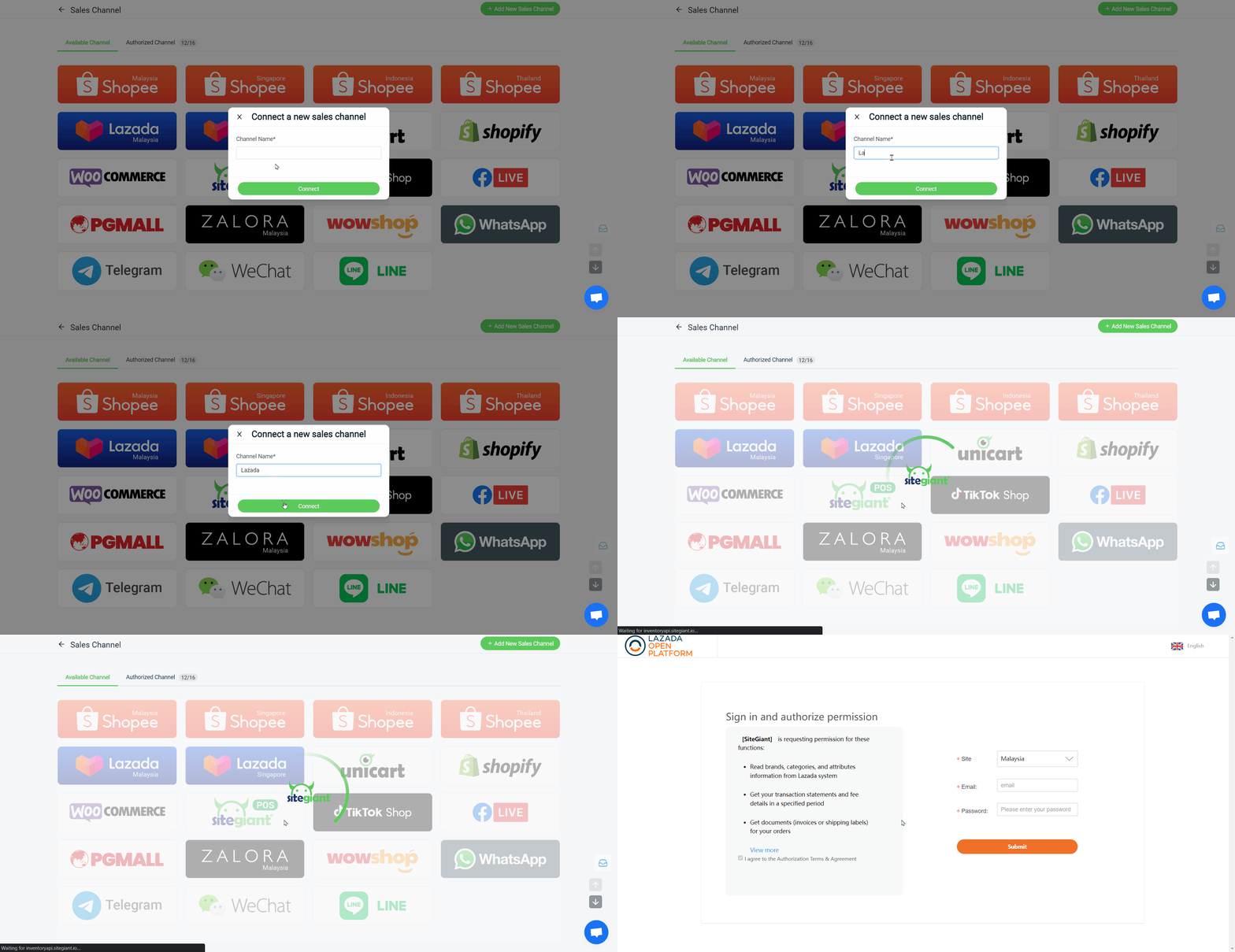
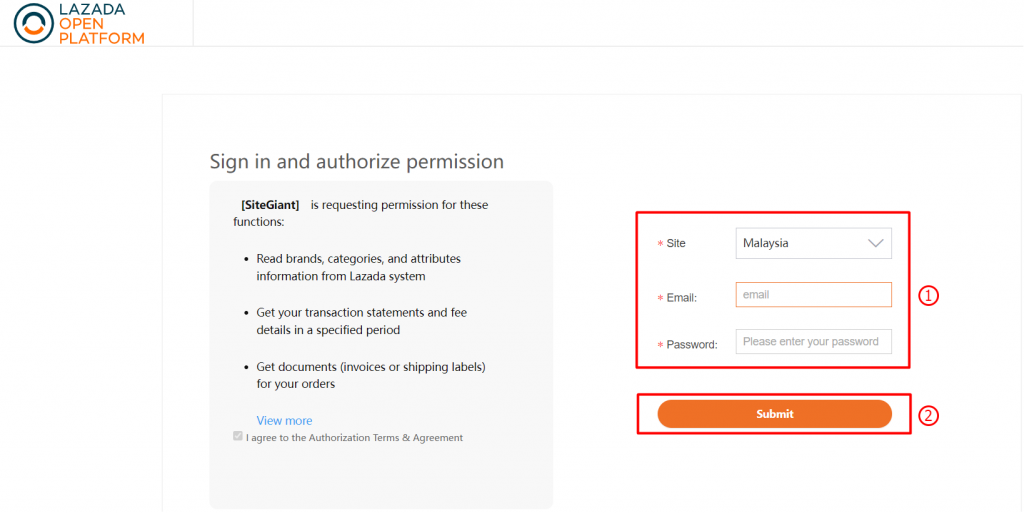
Step 5: Select the Lazada account country > fill in your Lazada registered email and password > click Submit
You are now successfully integrated your Lazada account with SiteGiant!
📌Note: Your existing products in Lazada Seller Center will be synced back to SiteGiant’s Lazada Listing automatically.