1. Introduction
2. Set Up Zalora Global Integration
1. Introduction
Zalora is the leading name in online fashion, beauty as well as lifestyle shopping, carrying an ever-expanding line of local and international brands tailored for consumers in the region. Founded in early 2012, Zalora is present in Singapore, Indonesia, Malaysia & Brunei, the Philippines, Hong Kong and Taiwan.
📌Note: Before you start, make sure you have signed up for a seller account with Zalora Global. If you do not have a seller account yet, may proceed with the sign-up here.
2. Set Up Zalora Global Integration
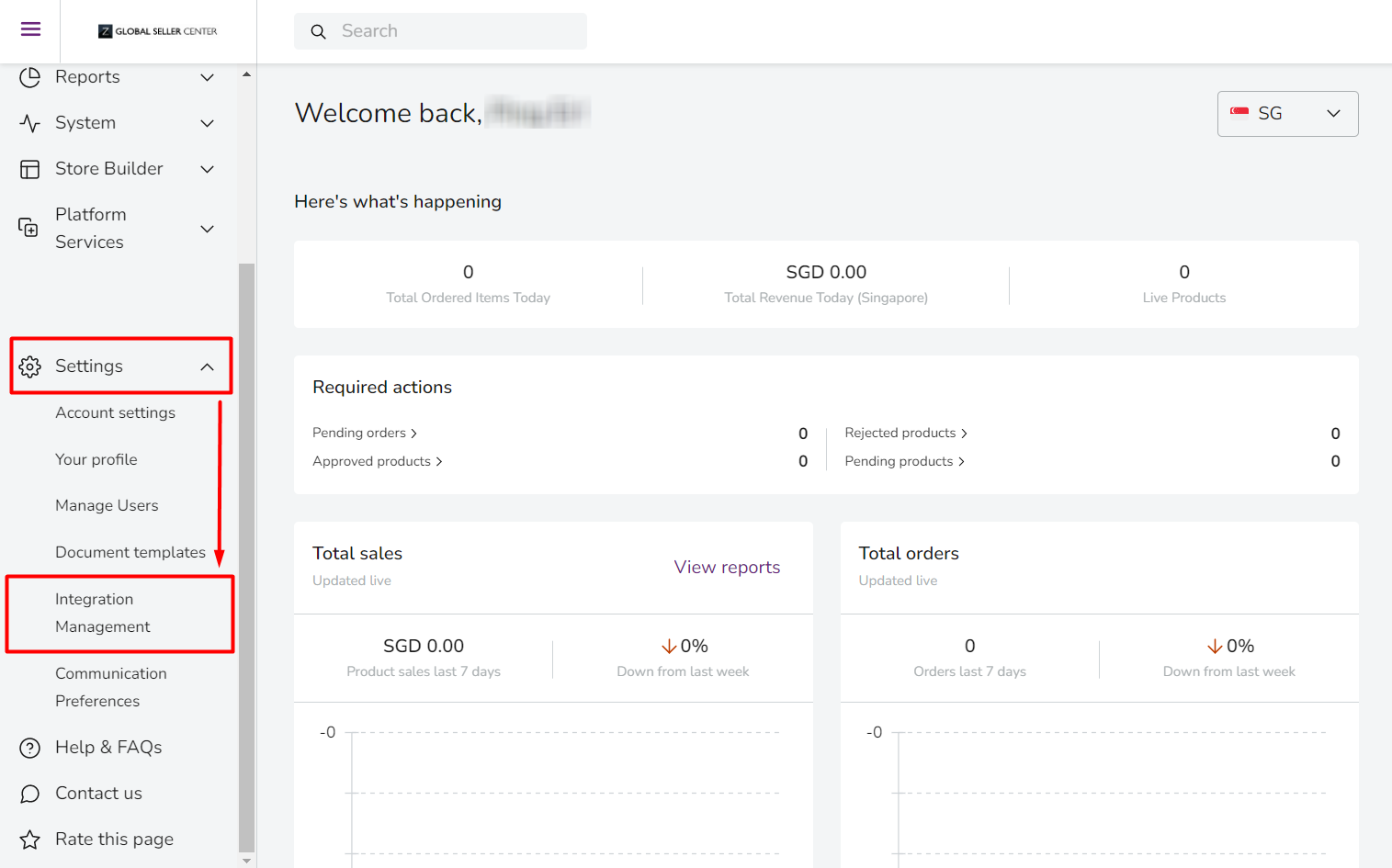
Step 1: Sign in to your Zalora Seller Center > navigate to Settings > Integration Management.
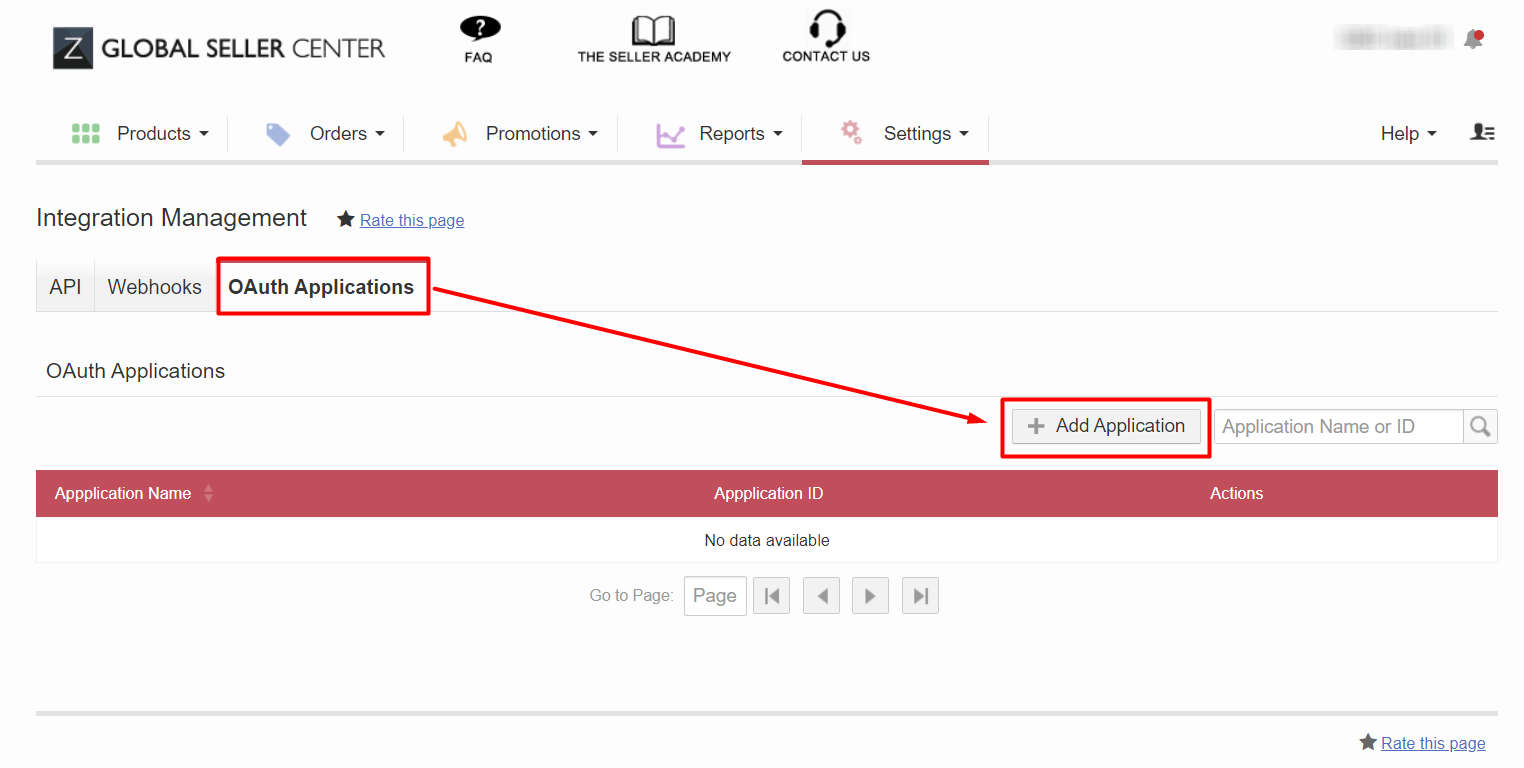
Step 2: Go to the OAuth Applications tab > click on + Add Application.
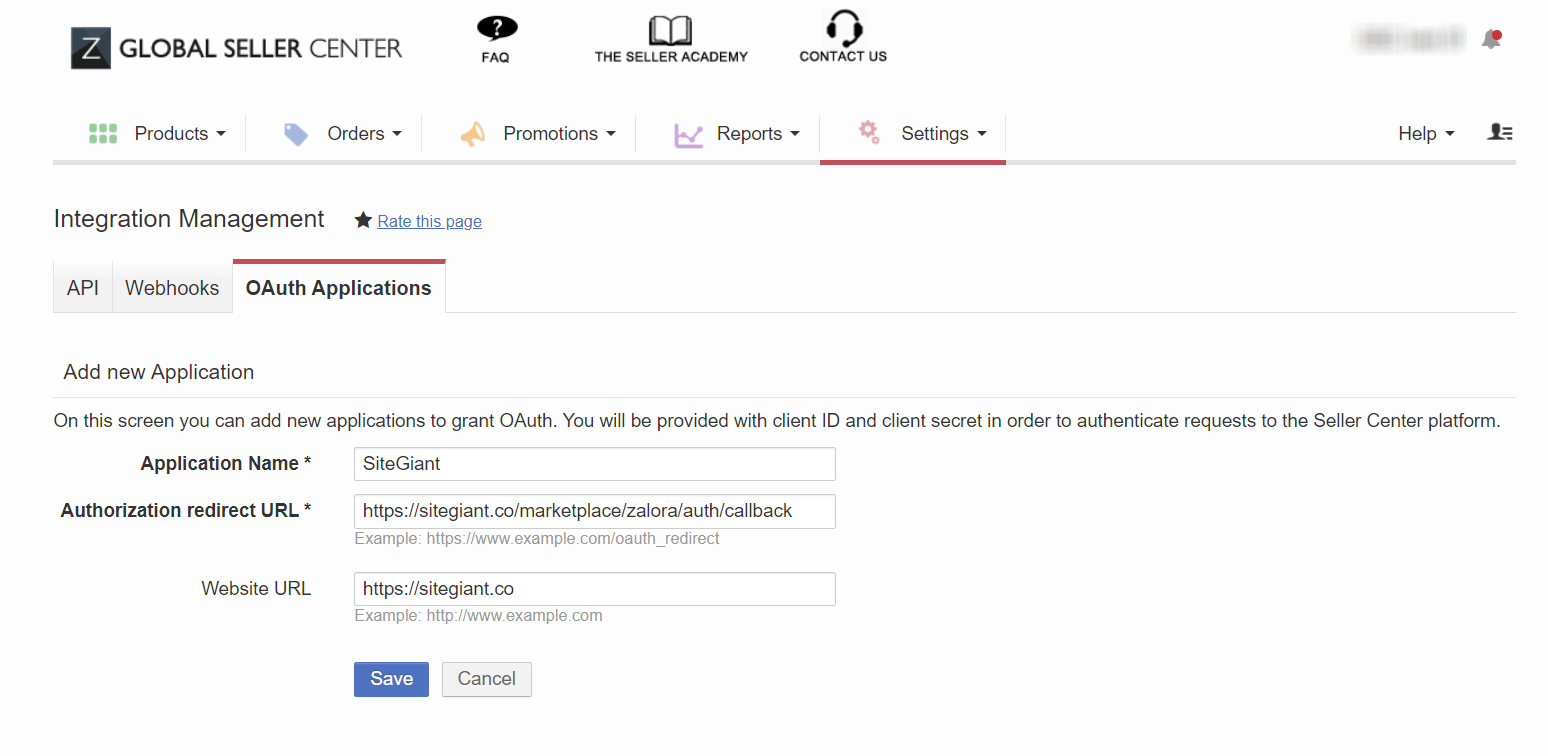
Step 3: Fill in the fields below > Save.
Application Name: SiteGiant
Authorization redirect URL: https://sitegiant.co/marketplace/zalora/auth/callback
Website URL: https://sitegiant.co
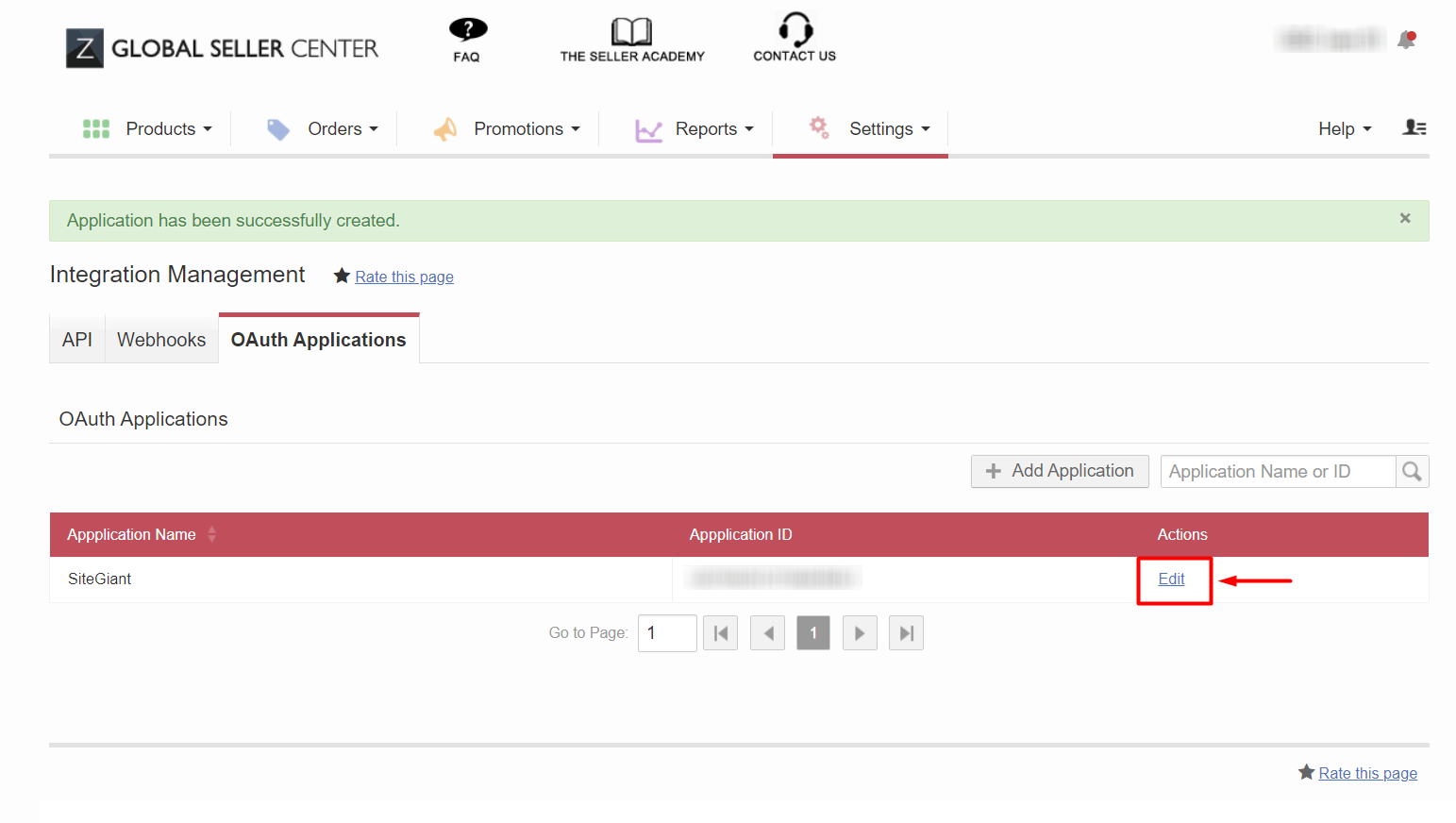
Step 4: Click on Edit to view the details.
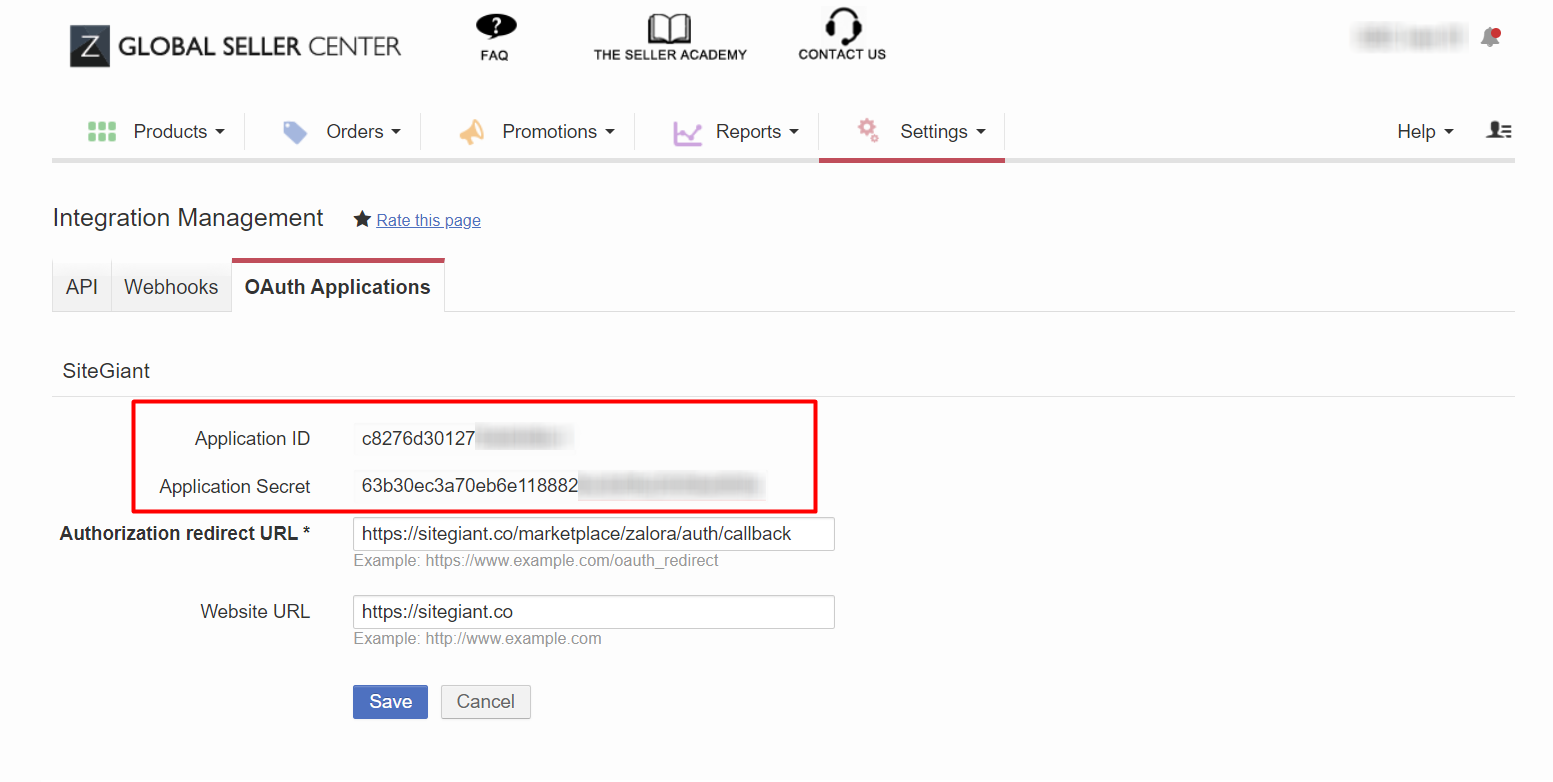
Step 5: Copy down the Application ID and Application Secret for later use.
💡Tips: Before starting the integration in SiteGiant, please ensure that you have set up the currencies for all countries you are using in Zalora Global. Learn more about How to Set Up Currency.
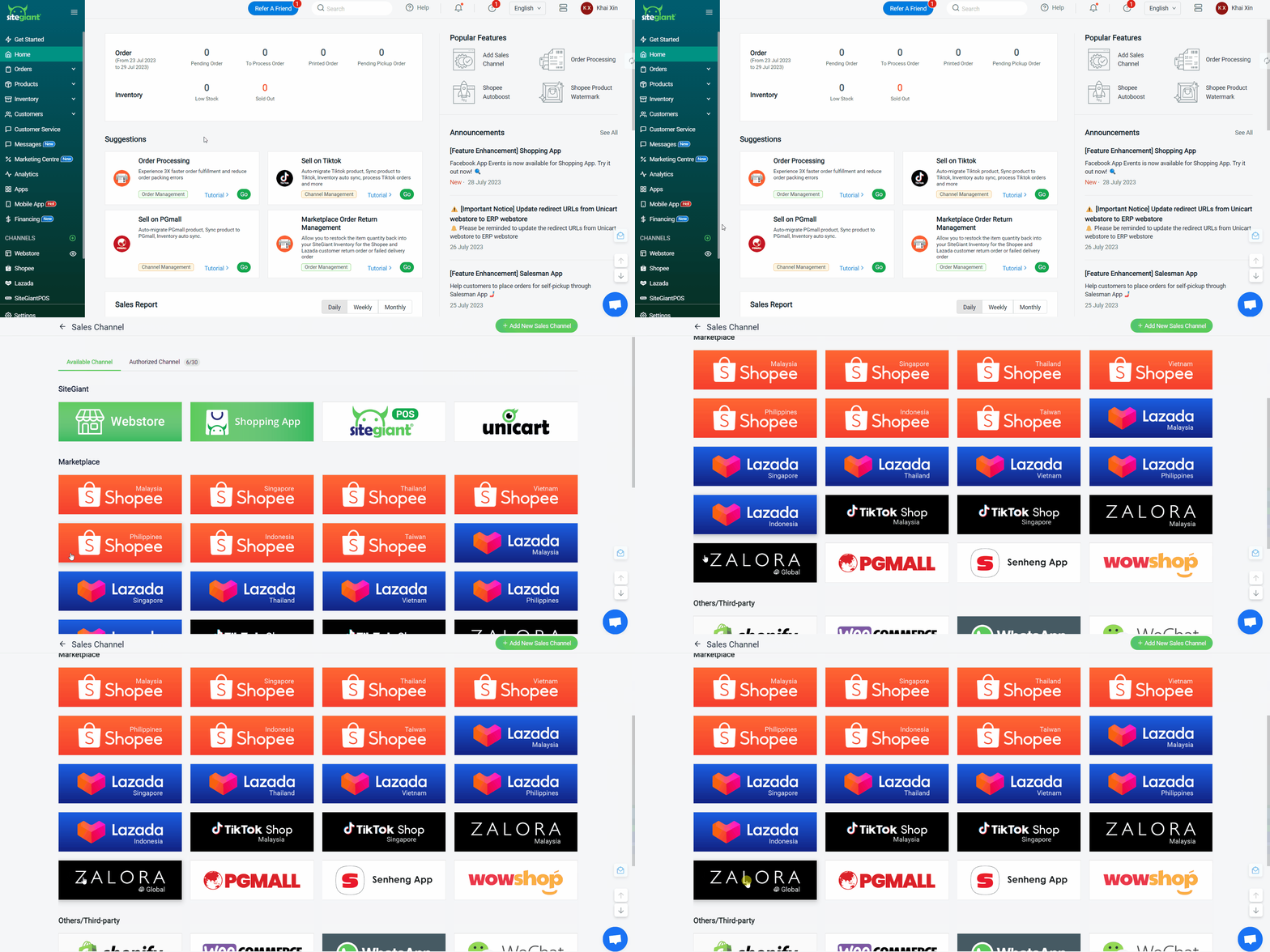
Step 6: Log in to your SiteGiant Seller Center > > add [+] channels > choose Zalora Global.
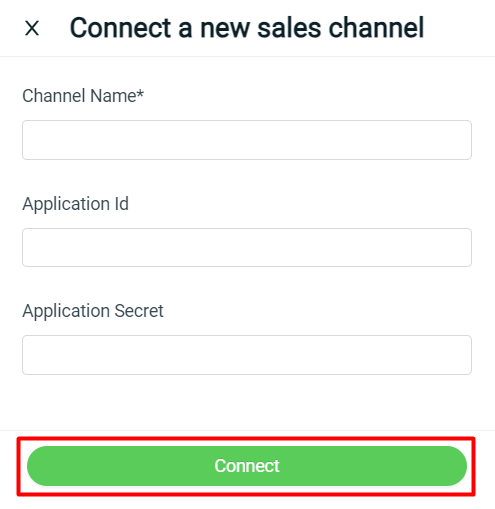
Step 7: Fill in Channel Name > paste the Application ID and Application Secret into the respective fields > Connect.
You have now successfully integrated your Zalora Global with SiteGiant!
📌Note: Your existing products in the Zalora Seller Center will be synced back to SiteGiant’s Zalora Listing automatically.