
1. Introduction
2. Edit Store Information
1. Introduction
Store General Information typically refers to basic and essential details about a store establishment. Store general information includes the store name, location, contact details, document templates, standards and formats and inventory release control.
2. Edit Store Information
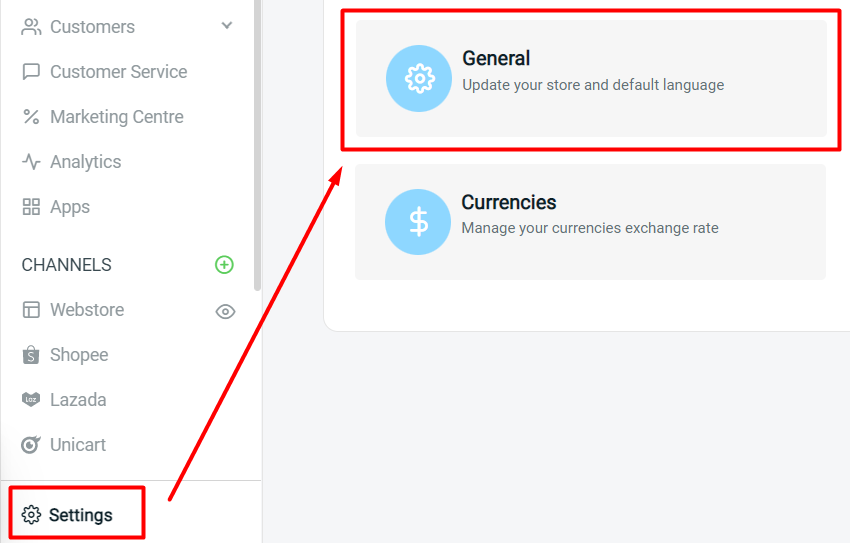
Step 1: Go to Settings > General.
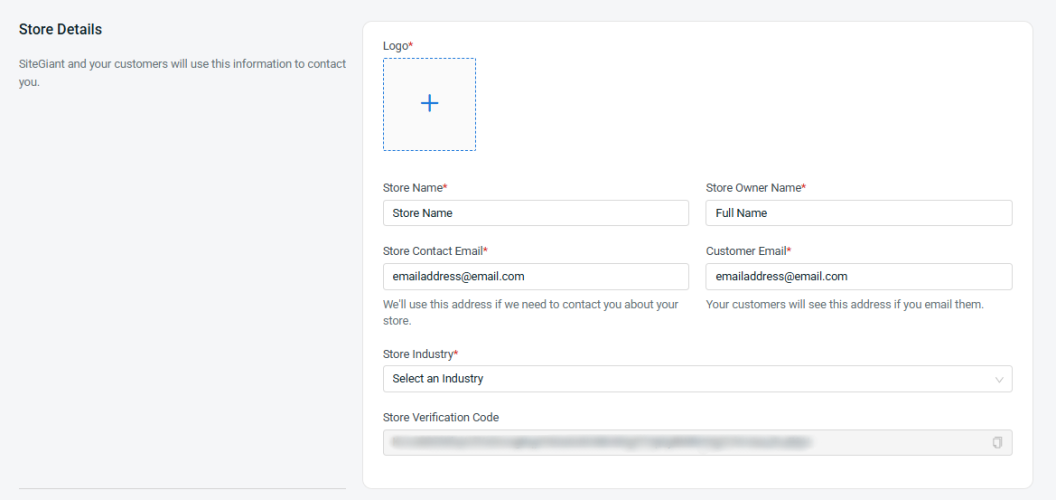
Step 2: Fill in the information in the Store Details section to update your store information.
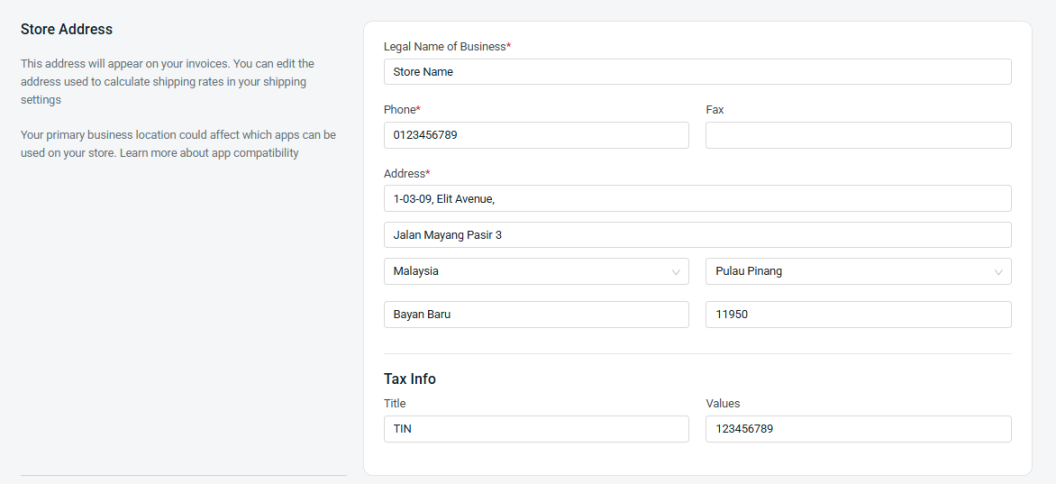
Step 3: Fill in the information in the Store Address section to update your store address.
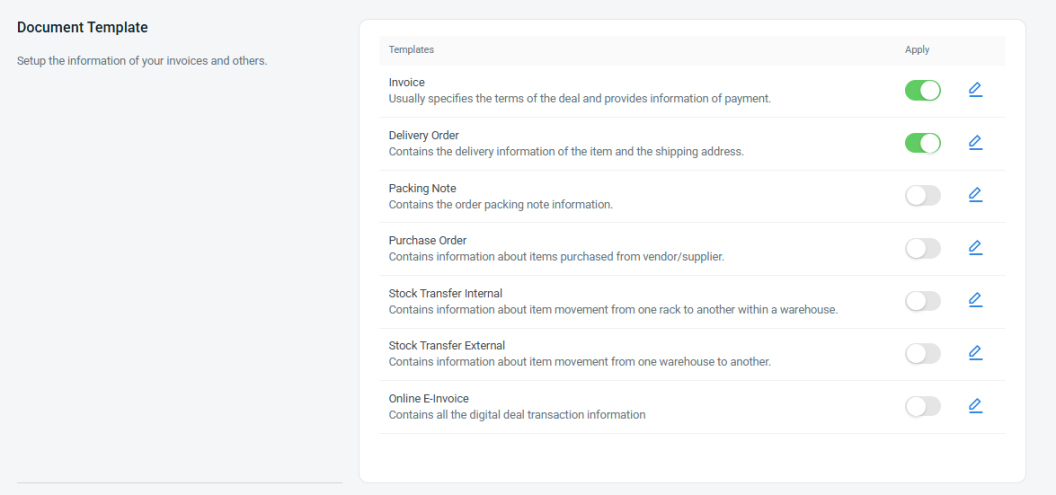
Step 4: You may set and configure the templates of the store’s Document Template.
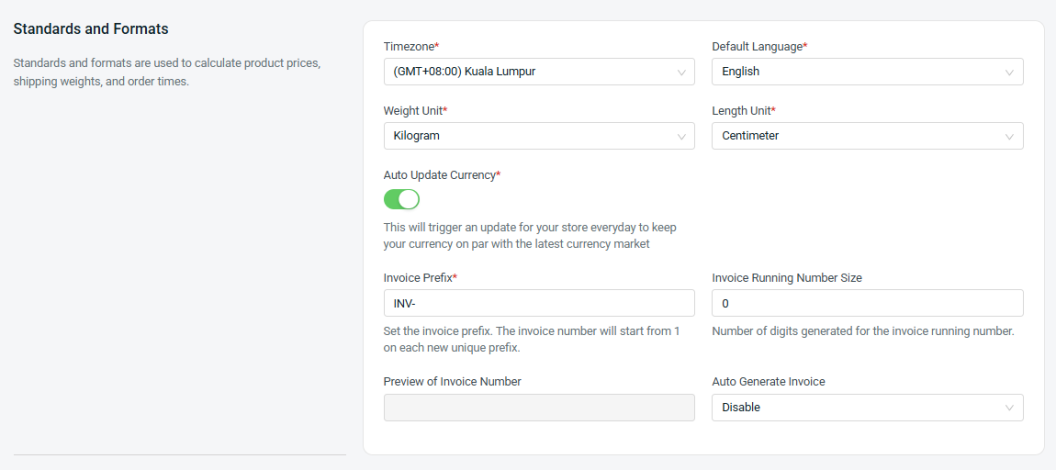
Step 5: You may set the timezone, weight unit, length unit, and invoice settings in the Standards and Formats section.
Step 6: Set the Inventory Release Control based on your preferences.
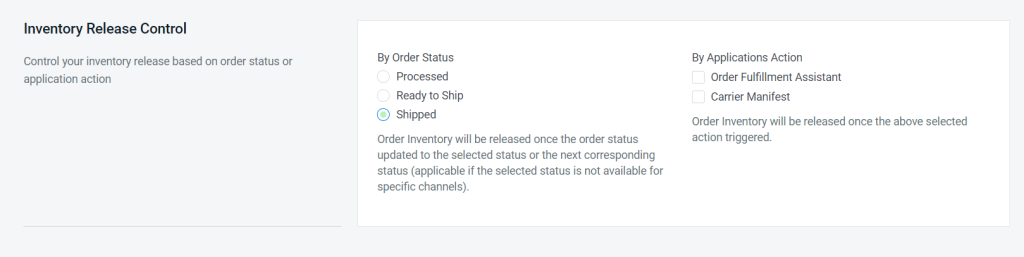
📌Note: By default, stock is released from Non-Sellable Stock when an order reaches the Shipped status. The Inventory Release Control Settings allow you to customize whether stock is released based on Order Status or triggered by a system action before reaching the Shipped status.
Step 7: Enable Login Security to enhance your website’s protection by requiring OTP verification when customers sign in or log in.

💡Tips: OTP verification requires tokens. Merchants must top up their tokens to fully utilize this feature. Learn more about Usage of SiteGiant Wallet (Token).
Step 8: Once done with all the settings, click the Save button on the top right.