
1. Introduction
2. Edit Inventory Item With Excel
1. Introduction
The Batch Edit Customer Details feature allows you to update multiple customer records at once using an Excel file. Instead of editing each customer manually, you can download the template, make the necessary changes in Excel, and upload it back to the system. This feature helps save time and reduce manual errors, especially when updating large amounts of customer information such as name, contact number, email, address, or customer group.
2. Edit Inventory Item With Excel
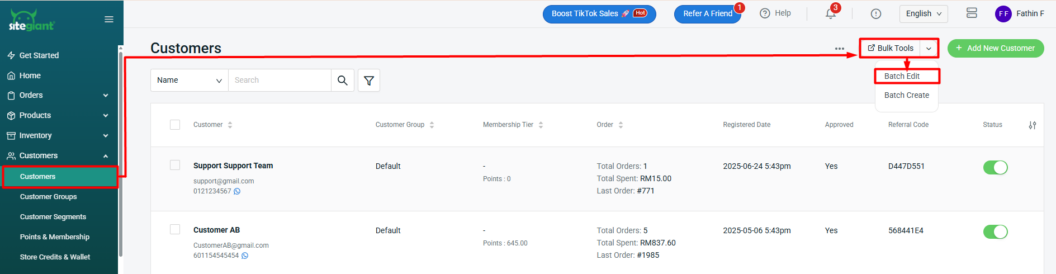
Step 1: Navigate to Customers on the sidebar menu > click Bulk Tools > select Batch Edit.
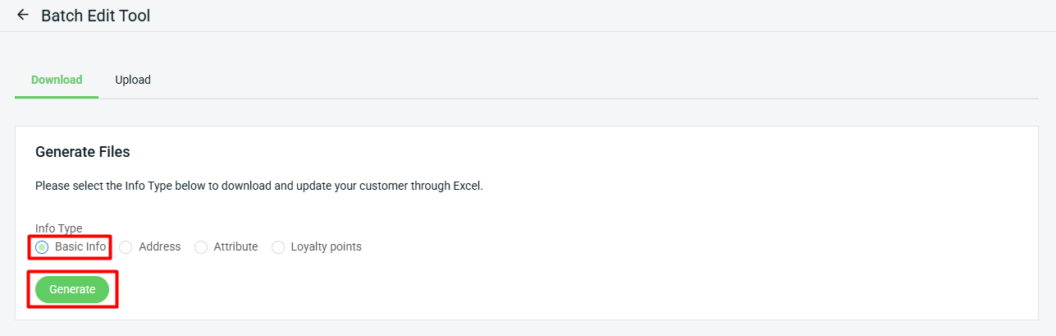
Step 2: Under download, select info type as Basic Info > Generate.
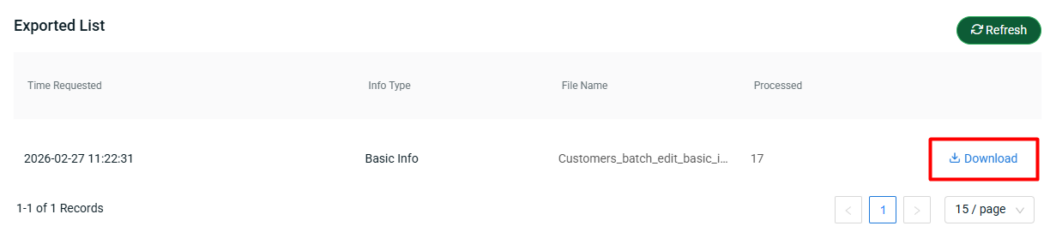
Step 3: Download the generated Excel file (zipped).
Step 4: Modify the item details in the Excel file > Save.

📌Note: Column with * is Not Editable.
| Column | Description | Sample Data |
| id* | Unique customer ID that generated by system | 318557 |
| firstname | Customer’s first name | Nur Atikah |
| lastname | Customer’s last name | Suhaimi |
| Customer’s email address. Must be a valid email format | Atikah@email.com | |
| phone | Customer’s contact number | 6012345678 |
| fax | Customer’s fax number | 0312345678 |
| birthdate | Customer’s date of birth | 2024-03-21 |
| gender | Customer’s gender | male/female |
| registered_date* | Date the customer registered in the system | 2024-01-17 10:12:05 |
| customer_group | The customer group assigned to the customer | VIP |
| membership_tier | Customer’s membership level | Diamond |
| firstname (address) | Recipient’s first name for the shipping/billing address | Nur Atikah |
| lastname (address) | Recipient’s last name for the shipping/billing address | Suhaimi |
| company | Company name (if the address belongs to a business) | SiteGiant Sdn Bhd |
| phone (address) | Contact number for the address (may be different from main customer phone) | 6042957008 |
| company_id | Company registration number (for business customers) | 201301029629 |
| tax_id | Company tax identification number (if applicable) | 1059459-P |
| address1 | Main address line | 1-03-09, Elit Avenue, |
| address2 | Additional address details | Jalan Mayang Pasir 3, |
| city | City name | Bayan Baru |
| state | State name | Pulau Pinang |
| country | Country name | Malaysia |
| postal_code | Postal or ZIP code | 11950 |
| town | Town or district name (if different from city) | Bayan Lepas |
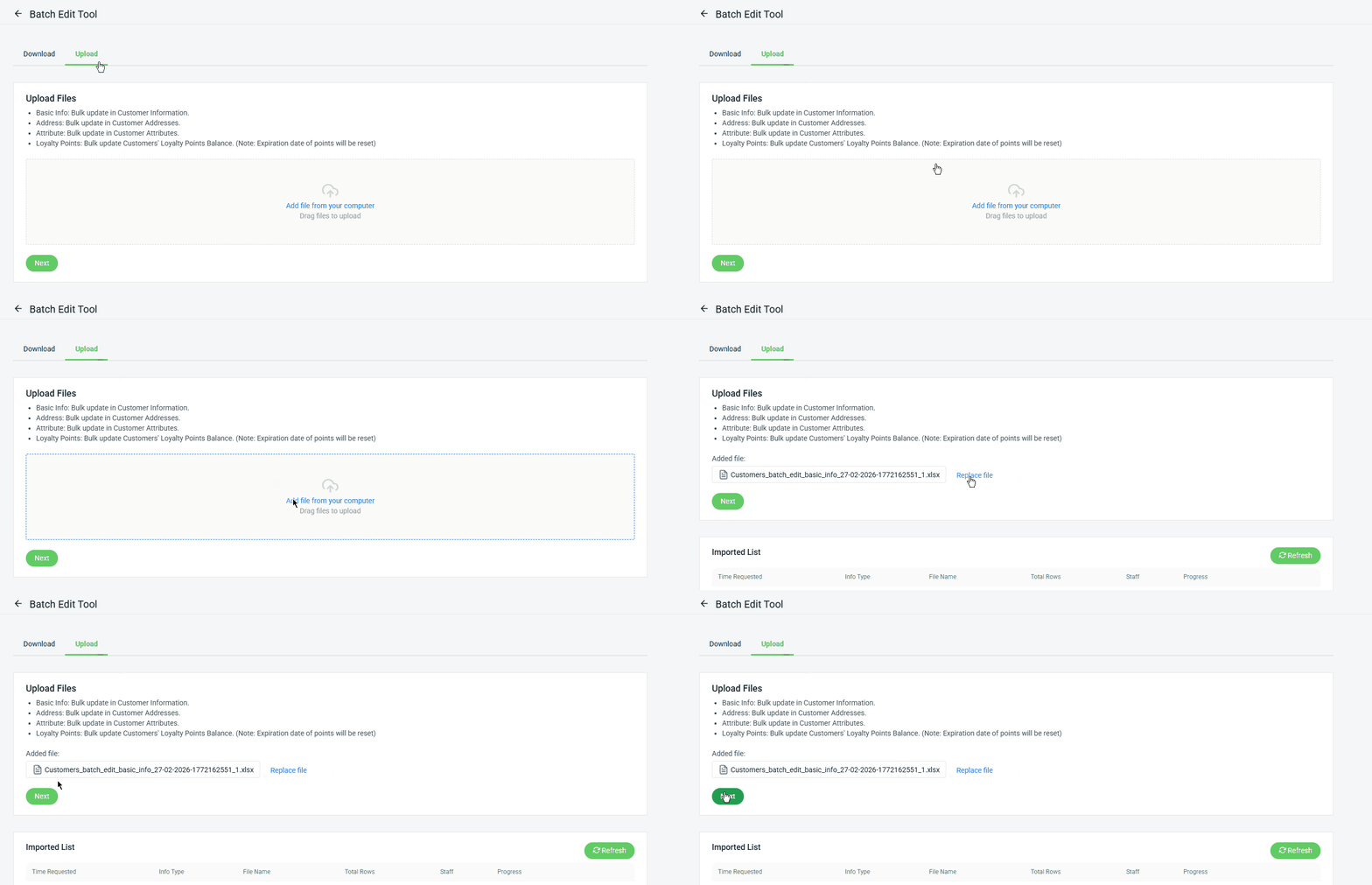
Step 5: Back to the Batch Edit Tool page > click Upload > Add file from your computer > Next.
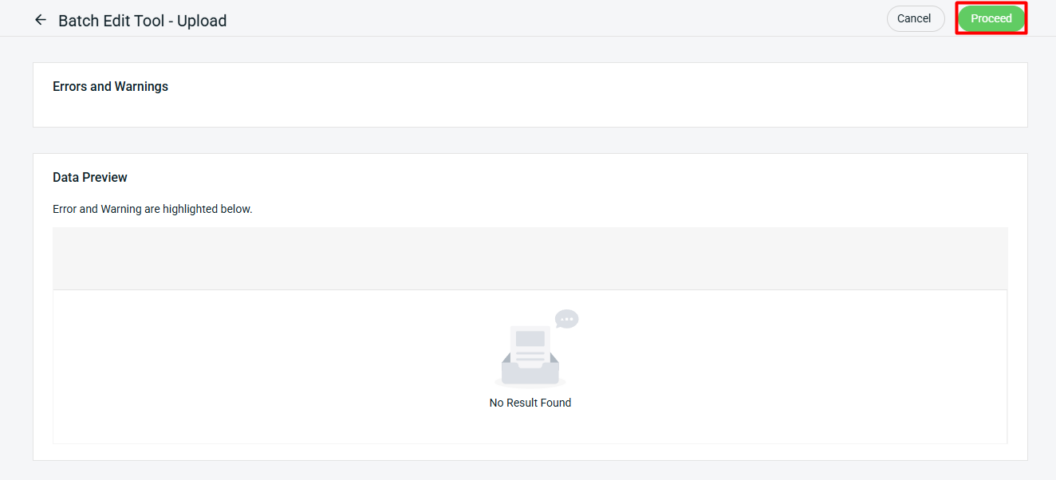
Step 6: If there are any errors in the Excel uploaded, you will see the error message in Errors and Warnings and it will show the error column in the Data Preview. Amend the error column and reupload the file. Click on Proceed if the file uploaded does not have errors.
Step 7: When the Progress status turns green, it indicates that the data has been completely updated.
