
1. Introduction
2. Set Up JamboLive Integration
1. Introduction
Want to make online shopping more engaging?
JamboLive is a platform that turns selling into an interactive live experience. It helps businesses connect with customers in real time and showcase products dynamically. Integration with SiteGiant, ensures automatic order synchronization, centralized inventory updates, and improved efficiency by reducing manual work.
📌Note: Before starting, make sure you have signed up JamboLive account. If you do not have an account yet, you may proceed with the sign-up here. Once the registration is completed, you will need to obtain the Partner ID and API Key from Jambolive Support for integration purposes.
2. Set Up JamboLive Integration
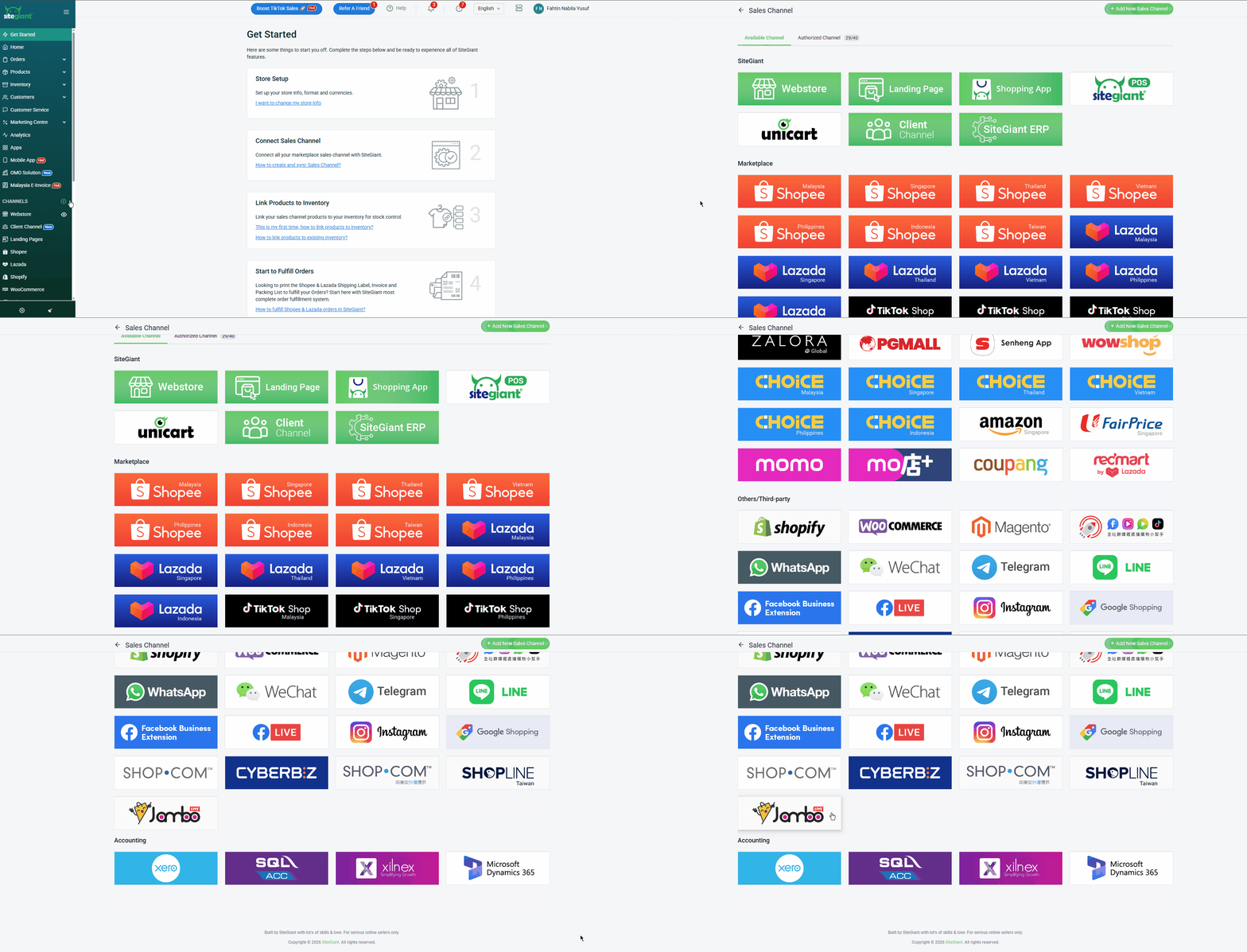
Step 1: Log in to your SiteGiant Seller Center > add [+] channels > choose JamboLive.
Step 2: Insert Channel Name > paste the Partner ID and API Key into the respective fields > Connect.
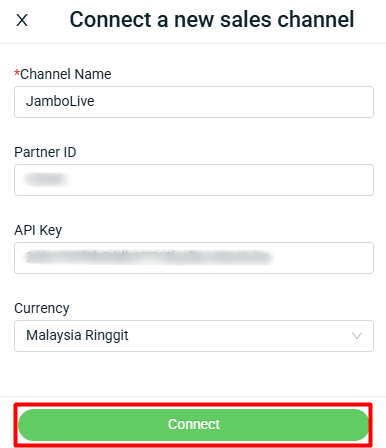
📌Note: The currency setting is used for the symbol display only. The product listing will not follow the currency selected during the integration.
You are now successfully integrated JamboLive with SiteGiant! The products in JamboLive will be synced back to SiteGiant’s JamboLive Listing automatically.